Did you ever receive a PDF form in Linux and wish there was an easy way to edit it with your information before returning it?
Well now you can with Firefox 106.
It is now possible to edit PDFs: including writing text, drawing, and adding signatures.


Did you ever receive a PDF form in Linux and wish there was an easy way to edit it with your information before returning it?
Well now you can with Firefox 106.
It is now possible to edit PDFs: including writing text, drawing, and adding signatures.
I'm using the Firefox release version from Ubuntuzilla on Debian Testing running Gnome, which uses Wayland by default now, so I wondered, does Firefox use Wayland by default? The answer is no, but it is fairly easy to enable it and it seems to work well, with a claimed significant improvement in rendering performance.
To enable Wayland mode in Firefox, edit
/usr/share/applications/firefox-mozilla-build.desktop
to
Exec=env MOZ_ENABLE_WAYLAND=1 firefox %u
(This will also work with other builds of Firefox and executable paths. See StackExchange.)
To get the performance increase in rendering, set
gfx.webrender.compositor.force-enabled
to true in about:config. (Arch Wiki)
There is a bug which results in the window icon and title not displaying.
To correct this I had to change the line
StartupWMClass=Firefox
in the desktop file above to
StartupWMClass=firefox
(StartupWMClass must match the executable name exactly.)
I found the solution in this bug report, of which the previous bug is a duplicate, although more descriptive of this issue.

In a previous post I wrote about how to get the latest version of Firefox in Debian using Ubuntuzilla. The only disadvantage with this method I have found is that the Firefox icon is seriously out of date. There is a bug report for this at Ubuntuzilla, but as it has been open for almost eight years, the chances of seeing it fixed are slim.
A user has posted a fix there.
Go to
/usr/share/pixmaps
in a terminal and do
# ln -sfn /opt/firefox/browser/chrome/icons/default/default128.png firefox-mozilla-build.png
This needs to be repeated after an update apparently.
Firefox 78 ESR reached its end of life on 2 November - five weeks ago - but the new version, Firefox 91 ESR has not arrived in Debian Stable (or indeed testing, which I am using now). That means that a number of issues that are fixed in 91 ESR will not be fixed in Firefox 78 ESR, leaving users exposed to vulnerabilities until 91 ESR arrives.

Although none of these vulnerabilities has been exploited to expose users to attack, being weeks overdue for security updates is not a good place to be.
If this makes you nervous, I will detail how to update to the latest version below.
The story has gone round the internet with an added does of FUD. It is an example of how one web site runs a story they read on another web site which read the story on a blog somewhere and nobody bothers to fact check it.
The story first appeared on BaronHK's Rants, a blog by... somebody. techrights.org reprinted it, and then Phoronix and The Register covered it.
The story notes the open vulnerabilities (which is true), but the blog and the re-runs all claim that Debian won't be able to push Firefox 91 ESR to Stable because Stable isn't up to date enough. This claim comes from a bug report linked to in the blog where a post on 8 November says:
Firefox-ESR 91.3 doesn't use OpenGL GLX anymore. Instead it uses EGL by default. EGL requires at least mesa version 21.x. Debian stable (bullseye) ships with mesa version 20.3.5 For the nvidia users the following bug report might be important...
Nobody at Phoronix or The Register thought to check the progress of the bug report before running the story. If they had, they would have noticed that the bug was closed on 7 December and the problem was nothing to do with the above and was in fact in Cubed (an audio component, apparently).
So, baseless FUD from a random blog gets spread around the internet.
Debian of course has to make sure that the new Firefox ESR release doesn't have bugs. If you are nervous about using Firefox 78 ESR in Debian, here is one way to get the latest version (there are other ways).
Add the Ubuntuzilla repository and key to your Debian sources, update and install either the latest ESR, or the latest Mozilla build, Firefox 95, which is what I did (I am running Testing after all).
Note that you will have to uninstall firefox-esr first (which will automatically install the Epiphany browser). You can then install from Ubuntuzilla. If you don't, you will get this error message:
dpkg-divert: error: 'diversion of /usr/bin/firefox to /usr/bin/firefox.ubuntu by
firefox-mozilla-build' clashes with 'diversion of /usr/bin/firefox to /usr/bin/
firefox.real by firefox-esr'
dpkg: error processing archive /var/cache/apt/archives/firefox-mozilla-build_95.
0-0ubuntu1_amd64.deb (--unpack):
new firefox-mozilla-build package pre-installation script subprocess returned e
rror exit status 2
dpkg-divert: error: mismatch on divert-to
when removing 'diversion of /usr/bin/firefox to /usr/bin/firefox.ubuntu by fir
efox-mozilla-build'
found 'diversion of /usr/bin/firefox to /usr/bin/firefox.real by firefox-esr'
dpkg: error while cleaning up:
new firefox-mozilla-build package post-removal script subprocess returned error
exit status 2
Errors were encountered while processing:
/var/cache/apt/archives/firefox-mozilla-build_95.0-0ubuntu1_amd64.deb
E: Sub-process /usr/bin/dpkg returned an error code (1)
Installing anything from Ubuntu on Debian is normally a bad idea, as it can cause instabilities, but in this case it is fine, because the repository is just for the latest Firefox builds from Mozilla.
Update: some information from a Debian developer about the delay.
Work on this is nearing completion.
Please note that Mozilla is constantly updating to newer rustc and LLVM versions. That means that preparing a new major ESR release for Debian requires not just the packaging of the firefox-esr and thunderbird updates, but also some very complex toolchain components. Those components are usually already in unstable/testing, but for stable, oldstable, and LTS, the toolchain must be backported first.
Debian also supports additional hardware architectures and the toolchain components sometimes require specific work in order to support those additional architectures. In fact, that was the case with this current update that is underway.
...
It is lamentable that it has taken this long, but that is not an indication of a lack of effort on the part of the people in Debian working on this.
From Piorunz at the mailing lists, here is an alternative method to update Firefox ESR, preserving the user profile until Firefox ESR is updated in Debian.
Piorunz also points out that Mesa is not the problem in a post on Phoronix:
Works perfectly fine with Debian Stable and Mesa 20.3.5, because Firefox 91 ESR detects Mesa version and adjust acelleration settings accordingly:
Code: X11_EGL available by default
blocklisted by env:
Blocklisted by gfxInfo
If you have the same problem as me, try this:
1 - If you have used different instances of Firefox from the same account, in my case Firefox ESR and Firefox latest release, enter the following in the Firefox title bar and delete unused profiles. (DO NOT delete profiles that are in use, you will lose history, logins, cookies etc for that instance of Firefox).
about:profiles.
The image below shows the page after deleting the unused profile.

/.mozilla/firefox/[random characters].default-[version]
The file stores Firefox's information about window positioning. Mozilla Support. It can become corrupted - Firefox will recreate it when it is started again.
As I say: this worked for me. I suspect the issue was caused because I ran a release version of Firefox from my /home directory (without possibly setting up profiles correctly, it has to be said) and this somehow corrupted Firefox's window positioning on opening.
The steps above corrected the issue on two separate Linux computers, so if you have the same issue, give it a go. Please don't delete profiles that are in use.
Deleting the xulstore.json file in a profile folder may actually be enough to fix the problem - I didn't test this, which might be a good first step to try. However, I wasn't using Firefox from my home directory any more, so deleting the profile wasn't an issue.
This bug seems to have existed in Firefox for nine years. (See Bugzilla.) According to Alain Knaff on the Bugzilla thread:
What happens is that Firefox for some weird reason does not get the mouse position directly from the button-release event, but instead prefers to request it separately. Under high-load condition, this means that the mouse may have moved since button release, and Firefox wrongly interprets that as a drag.
People seem to suspect that this happens on slower computers, when Firefox is under heavy load, or when other processes are taking up resources.
I first found the thread above more than a year ago, when the only solution on offer was a Firefox plugin that no longer worked.
Having had tabs tear off three times in a day recently I searched again for a solution, and had a sense of deja vu when I found the same thread.
However, I'm happy to say that there is now a solution posted on the thread:
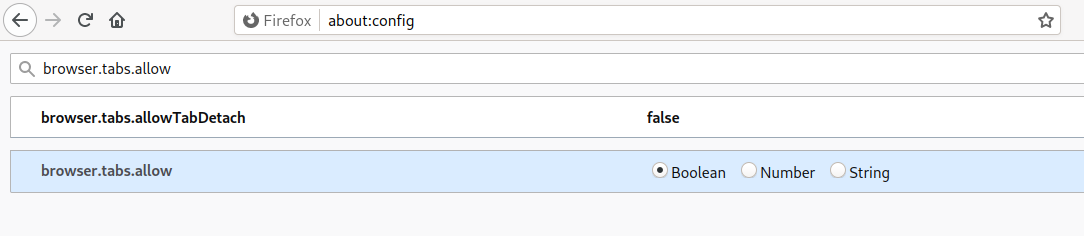
Type about:config into the address bar in Firefox and look for
browser.tabs.allowTabDetach
Double click to change from true to false.
$ MOZ_ENABLE_WAYLAND=1 ~/Downloads/firefox-67.0/firefox/firefoxOf course, if you have unpacked Firefox to a different location, use that location.
IPDL protocol Error: Received an invalid file descriptor ###!!! [Child][RunMessage] Error: Channel closing: too late to send/recv, messages will be lostBut is it running on Wayland?


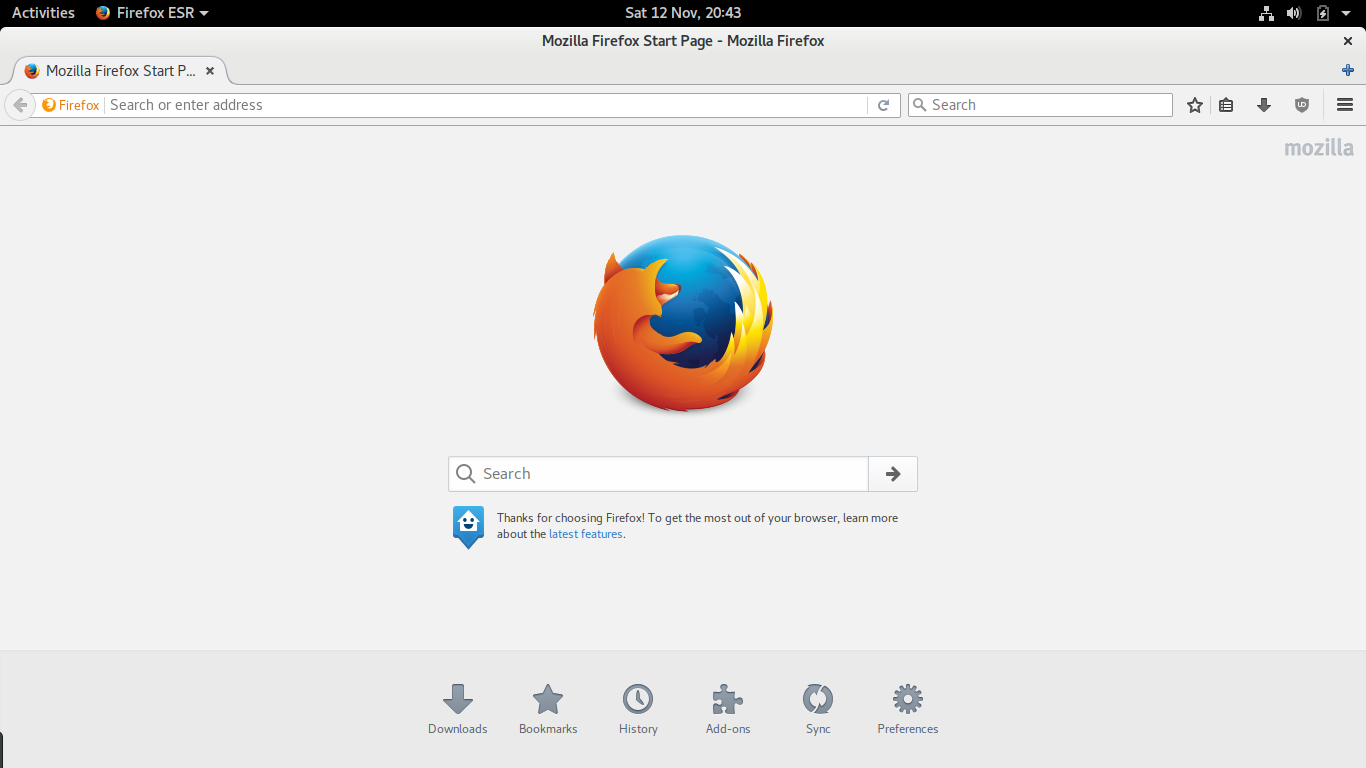
window.ssd headerbar.titlebar {Restart Gnome Shell or log out and log in and Firefox now looks like this:
min-height: 0;
}
window.ssd headerbar.titlebar button.titlebutton {
padding-top: 0px;
padding-bottom: 0px;
min-height: 0;
}
window.ssd headerbar.titlebar {
border: none;
background-image: linear-gradient(to bottom,
shade(@theme_bg_color, 1.05),
shade(@theme_bg_color, 1.00));
box-shadow: inset 0 1px shade(@theme_bg_color, 1.4);
}


# update-flashplugin-nonfree --install


/home/username/firefox/firefox -P "new profile" -no-remoteno-remote means Firefox uses the new profile independently of the profile set for Iceweasel and without changing the profile set for Iceweasel- indeed it can run at the same time as Iceweasel with this command.
firefox --ProfileManager

Vulnerability can be used to run attacker code and install software, requiring no user interaction beyond normal browsing.



