Showing posts with label spellchecker. Show all posts

Tuesday, May 28, 2013

United Kingdom localisation of Iceweasel from Debian Experimental.

I've wondered for a while why Iceweasel did not use British spelling in this install of Debian- I'd selected British English as the language when I'd installed it.

I noted in my previous post how a localisation package is available for LibreOffice. Well, there's one for Iceweasel as well, but it wasn't installed by default.

As I'm using Iceweasel from experimental, I had to get the language pack from experimental too.
 # apt-get install -t experimental iceweasel-l10n-en-gb


British English spell check in LibreOffice.

I noticed recently that LibreOffice was not checking my spelling. I solved the problem as I've done before by installing an Open Office British English dictionary. After an update to LibreOffice 4 in Debian Jessie, the spell-checker stopped working, and I had a look for a better solution.

The problem seems to be that LibreOffice says it's using Hunspell, but there is no British English dictionary available for Hunspell: you have to use Myspell.

In addition, the British English package for LibreOffice had not been installed by default, so I installed that as well.

These are the packages required:
libreoffice-l10n-en-gb
myspell-en-gb
Here are some screenshots illustrating that LibreOffice clearly thinks spelling is handled by Hunspell when it isn't.


Wednesday, August 22, 2012

Spell check in Epiphany

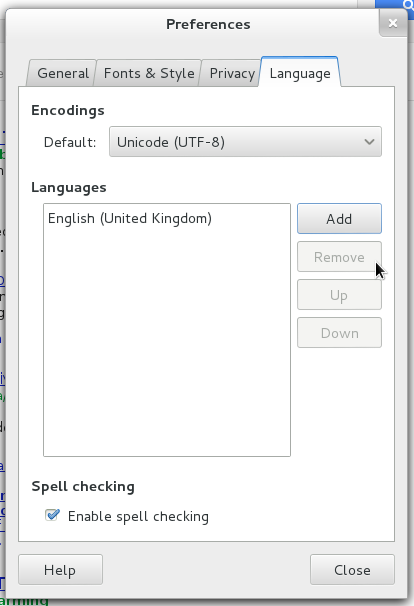
The Epiphany browser now has a spell checker. It can be enabled by clicking on the new drop down menu in the panel, and selecting Preferences>Language. Its inclusion makes Epiphany more usable. It currently has an advantage over other browsers in that it uses GTK3 and doesn't waste space on a title bar- an efficient use of screen space on a laptop (see previous post).

Unfortunately Flash doesn't work with GTK3, so that's a disadvantage.

Wednesday, February 8, 2012

Spell check in Libre Office

This may just be a Debian Squeeze backports thing, but the spell checker in Libre Office doesn't work out of the box, even thought the spell checker dialogue appears and says it's checked the spelling.
The answer is to install the appropriate dictionary extension and restart. (Solution found on the Debian Forum.)

Update: This advice still applies in Debian Wheezy: I used it just now. The link is actually to the Open Office extension site, but the download is recognised by Libre Office as a Libre Office extension.

Update: see this more recent post for a better solution.

Monday, October 19, 2009

GB english spellchecker in Opera 10 on Linux


Opera 10 has added an inline spell checker which checks spelling in web forms, but the default (and only) dictionary in the Linux version is US English. Here is how to add GB English, and other languages.
Curiously, the Windows version already has a GB English dictionary option.
UPDATE: This post is now obsolete (and the link above dead). The current version of Opera has a menu option to add spell check dictionaries.